







An ideal device for those who constantly juggle between work and entertainment is one that offers a big screen, a keyboard to type on, and a stylus for those fleeting moments of creativity. In other words, a tablet.
It’s our portable cinema, our digital canvas, and for some, even a lightweight alternative to the traditional laptop. And the newest one in town is the Redmi Pad 2 Pro.
Redmi’s latest launch, at least on paper, promises to be that do-it-all device without breaking the bank. But can it live up to that hype? We got our hands on the tab, along with its keyboard and stylus, and having used it extensively for the past few days, here’s our Redmi Pad 2 Pro review.
Redmi Pad 2 Pro design
Right out of the box, the Redmi Pad 2 Pro feels well built with a solid metal unibody design, and an overall premium feel. At 7.5mm, it is surprisingly slim for a tablet of this size, but you do feel the heft. The 610 grams however is a worthy trade-off for the massive battery powering the device.
Overall, the Redmi Pad 2 Pro looks and feels as good as some of its more expensive rivals, and more premium than its price tag suggests.
Redmi Pad 2 Pro display
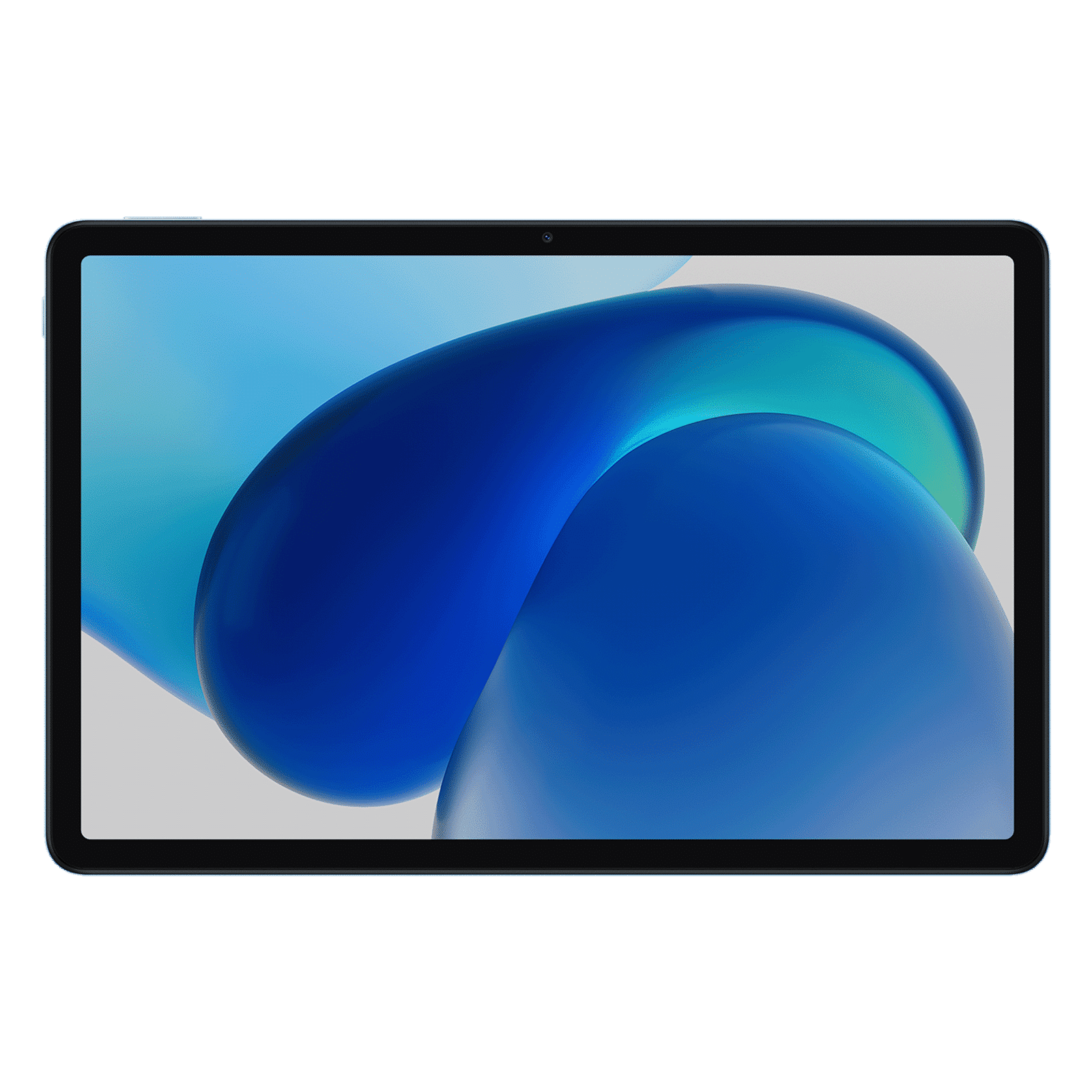
Among the highlights of the Redmi tablet is the massive 12.1-inch screen. With a crisp 2.5K resolution and a 120Hz refresh rate, scrolling through social media, browsing the web, and watching your favourite OTT content is an absolute delight. Particularly impressive are the vibrant colours, and brightness levels, which make it a comfortable to watch and read stuff when outdoors.

However, the display is not perfect. Some might be put off by the wide black bezels surrounding the screen. But in reality, it helps when holding the tab in any orientation. While the display is bright and crisp, viewing angles are somewhat limited. There’s a noticeable drop in contrast levels when looking at the screen from an angle.
Having said that, these are minor issues at best, and don’t affect the overall experience.
Redmi Pad 2 Pro performance
Under the hood is the Snapdragon 7s Gen 4, which may lack the raw power of higher-end chips, but there’s more than enough to tap into for most users. The tab is able to handle everyday office work, music and video streaming, and even some light gaming with ease. Think of it as a friendly companion who can help a bit with everything rather than a hardcore professional.
In the performance department, the standout feature is the ginormous 12,000mAh battery. We consistently got through a full day of heavy use, including video streaming, web browsing, and even writing this review, with plenty of power to spare. With light to medium use, you could easily stretch that to two or even three days.
When it comes to charging, the tablet supports speeds up to 33W, though the charger is not included in the box. If that wasn’t enough, the tablet can also act as a 12,000mAh power bank with support of 27W reverse charging. What this means is that you can connect a smartphone or any other portable device to the tablet to charge it, which is quite handy when travelling.

Redmi Pad 2 Pro accessories
To boost this tablet’s productivity chops, one should absolutely go for the optional keyboard. It connects seamlessly via Bluetooth and offers a surprisingly comfortable typing experience with its 64-key layout.
That said, there’s a noticeable lack of trackpad, which means you’ll be constantly switching between the keyboard for typing and the touchscreen for navigation. Then there’s the keyboard itself, which feels a bit flimsy due to the plastic body. But these are minor drawbacks, and doesn’t take away the fact that the keyboard transforms the Pad 2 Pro into a capable little laptop for on-the-go work.
The Redmi Smart Pen, on the other hand, is a handy tool for note-takers and budding artists. While it may not have the finesse of the more expensive styluses, this one from Xiaomi does its job. With 4,096 levels of pressure sensitivity, it offers a responsive feel with little to no latency.
Redmi Pad 2 Pro software
Right out of the box, the Redmi Pad 2 Pro runs Android 15, with Xiaomi’s HyperOS 2 on top. The skin is not too different from the MIUI we saw on older tabs, but it does come with smooth and modern visuals, AI, and optimised multitasking.
Speaking of which, you can choose between split screen or floating windows to have up to four apps visible at once. This is a boon during work hours, and also makes the best use of the large screen space.
On the AI front, Google Gemini is baked into HyperOS, and is available for use right from the get-go. One can use it for tasks like summarisations, object removal in photos, and also Circle to Search.

Unboxed Take: Who should buy the Redmi Pad 2 Pro?
Having spent some time with the Redmi Pad 2 Pro, it’s clear that Xiaomi is pushing to offer a premium experience at a price tag that won’t burn a hole in your pockets. And largely, the brand succeeds.
The Redmi tab offers a premium design, a gorgeous display, dependable performance, and an exceptional battery life. The optional keyboard and stylus are both excellent additions that significantly enhance the tablet’s versatility. And the cherry on top is the price tag.

Prices start from Rs 24,999 for the Wi-Fi only variant, and Rs 27,999 for the cellular variant, which truly lets you detach from your work desk. For all these reasons, we rate the Redmi Pad 2 Pro 4/5.
Stay tuned to Unboxed by Croma for more such in-depth reviews, and everything tech.

Unleash your inner geek with Croma Unboxed
Subscribe now to stay ahead with the latest articles and updates
You are almost there
Enter your details to subscribe

Happiness unboxed!
Thank you for subscribing to our blog.
Disclaimer: This post as well as the layout and design on this website are protected under Indian intellectual property laws, including the Copyright Act, 1957 and the Trade Marks Act, 1999 and is the property of Infiniti Retail Limited (Croma). Using, copying (in full or in part), adapting or altering this post or any other material from Croma’s website is expressly prohibited without prior written permission from Croma. For permission to use the content on the Croma’s website, please connect on contactunboxed@croma.com

- Related articles
- Popular articles
Krishnarao Raghavan
Thanks for the nice review \nGood tab to buy & use