







The gaming laptop space has long been defined by excess. Big bodies, loud fans, and RGB overkill. But Asus seems to be on a different path with its latest Asus ROG Strix G16.
While this one does scream gaming laptop, it doesn’t necessarily carry the heft of one. Neither does it look aggressive; rather, it looks like a stealth machine for professional gamers – sleek, minimal, and undoubtedly powerful. Having spent considerable time with it, here’s our Asus ROG Strix G16 laptop review.
Looks of a stealth machine
When you take the Strix G16 out of the box, you’ll instantly know that it’s a machine for serious gamers. It’s built like a tank with sturdy materials, while giving off stealthy vibes in this Eclipse Gray shade.
Since it’s a gaming laptop, it obviously has an RGB system, but not the cluttered kind. Rather, it’s quite minimal. Asus has gone for what it calls the full-surround Aura RGB. It’s essentially an RGB setup hidden below and bordering the bottom portion.

This is the kind of RGB setup most would like, and even we do, as it doesn’t just look good but also has a usability factor. When it’s turned on, you get to see what’s around your desk, plus it also syncs with music, meaning you don’t need additional RGBs on your desk to complete your setup.
The laptop has an overall beefy chassis and an end-to-end vapor chamber that’s also visible on the exteriors. Asus calls it a sandwiched heatsink design, to which we’ll get to in the later part of this review.
The laptop checks all the essential ports, including an Ethernet port. Other ports include 2x Thunderbolt 5 ports, 3x Type-A USB Gen 3.2 ports, a HDMI 2.1 port, and a 3.5mm audio jack.

While the ROG Strix G16 is heavy, it isn’t uncomfortable to carry around. Unlike other large gaming laptops that weigh closer to 3 kgs, this one is just over 2.5 kgs. We had no issues carrying it to work on Fridays for fun gaming sessions, of course, after work.
Display that’s worth binging and gaming on
The ROG Strix G16’s screen is quite impressive. First up, it’s a large 16-inch panel, which is a delight to look at. It’s the perfect size for gaming, at least on a portable machine.
The 240Hz refresh rate makes it an esports-ready panel, and flicks felt buttery during our Valorant session. The screen also has a low 3ms response time, adding to the overall gaming experience.
There’s more to the display; it’s anti-glare and has 500 nits of peak brightness, which means you’d have no issues looking at the screen. In a cafe, you can easily pick a side spot and game or work, without worrying about unnecessary reflections.

Furthermore, the display has the spaced-out 16:10 aspect ratio, which means you get to see extra content. Be it an additional column in spreadsheets or more information in simulation games. The screen also has crisp 2.5K resolution and boasts DCI-P3 colour gamut for lifelike colours. This is great for watching the best works of Christopher Nolan, and of course Netflix shows.
Asus has also trimmed the bezels all around, giving you more screen real estate without increasing the overall footprint of the laptop. It feels immersive without being overwhelming. This is arguably one of the best displays you’ll find on a gaming laptop, and we loved watching content on it.
Performance that’s not limited
The ROG Strix G16’s bold design pairs up well with the powerful internals. The laptop’s hardware is no joke. It’s powered by the Intel Core Ultra 9 275HX processor, which doesn’t just bring generational bump, but also a snappy, reliable, and AI-ready performance.
The chipset also brings a dedicated NPU (Neural Processing Unit) hardware into the mix. That means AI-enhanced workloads are handled more efficiently, from noise cancellation in video calls to generative tools in creative apps. Plus, the Microsoft Recall and our favourite Cocreator tools in Paint.
ALSO READ: Asus VA24EHF monitor review
Paired with the RTX 5070 Ti GPU and 32GB of DDR5 RAM, the ROG Strix G16 doesn’t break a sweat. You can run Cyberpunk 2077 in 2K with ray tracing at ultra, edit a 4K video timeline in DaVinci Resolve, and have a dozen Chrome tabs open — all at once. It’s built for creators and competitive gamers alike.

The laptop also ships with a 1TB PCIe Gen 4 NVMe SSD. Speeds are blazing fast, with read/write numbers that’ll make external drives feel medieval. Blink your eyes twice and the laptop boots up, and apps open quite fast.
Thermals are also well managed, thanks to the Sandwiched Heatsink design inside. It uses the tri-fan technology to keep the machine fairly cool, even when you are having marathon gaming and work sessions.
All-day battery with quick charging
For all-day power, you get 90Whrs of 4-cell battery, and it’s just enough to get you through your work day. But game a bit, and you do need a charging point in your vicinity.
Having said that, charging is superfast, thanks to the 280W AC adapter. However, for us it wasn’t that convenient as it required the larger plug point. But there’s also USB-C charging, which is not the fastest, but gets the job done. When gaming, however, you should use the AC adapter, as it will offer the best results.
Roomy keyboard, large trackpad, tool-less upgradability
With the Strix G16, it’s like carrying a physical keyboard with you. It’s got a full-sized keyboard with tactile keys. Key presses feel satisfying, and the per-key RGB effects add to the experience. You also get extra keys at the top, including a key to control the fan speed and summon Armoury Crate.

The trackpad on this one is massive. It’s precise, smooth and works brilliantly with multi-finger gestures. You get enough room to swipe and scroll fast.
One unique thing that you won’t find in any other gaming laptop is the tool-less access to the internals. Just slide the Q-latch and you can easily remove the bottom lid of the laptop, letting you upgrade the internals.
Punchy speakers, seamless UI experience
One feature of the ROG Strix G16 that’s worth mentioning is audio setup. Backed by Dolby Atmos, the 4-speaker system is very loud and punchy. You don’t really need extra speakers to carry with you.
ALSO READ: Asus ROG Zephyrus G14 review
Coming to the software, it’s the latest Windows 11 OS. It’s AI-rich for sure, and we love using all the new features it has to offer, including Snap Layouts.
What’s more impressive is the proprietary software from Asus, which is Armoury Crate. It’s a central hub for performance tuning, changing fan profiles, and customising RGB effects. It’s super convenient and frankly effortless.
Unboxed Take: Who should buy Asus ROG Strix G16?
The 2025 Asus ROG Strix G16 is all about raw power, with a splash of elegance and maturity. It doesn’t just deliver performance, but it also adds stealthy aesthetics that match the profile of a professional gamer on the move.
ASUS ROG Strix G16 G615LR-S5190WS Intel Core Ultra 9 Gaming Laptop (32GB, 1TB SSD, Windows 11 Home, 12GB Graphics, 16 inch 240 Hz 2.5K WQXGA Display, NVIDIA GeForce RTX 5070Ti, MS Office Home 2024, Eclipse Gray, 2.65 KG)
Buy now
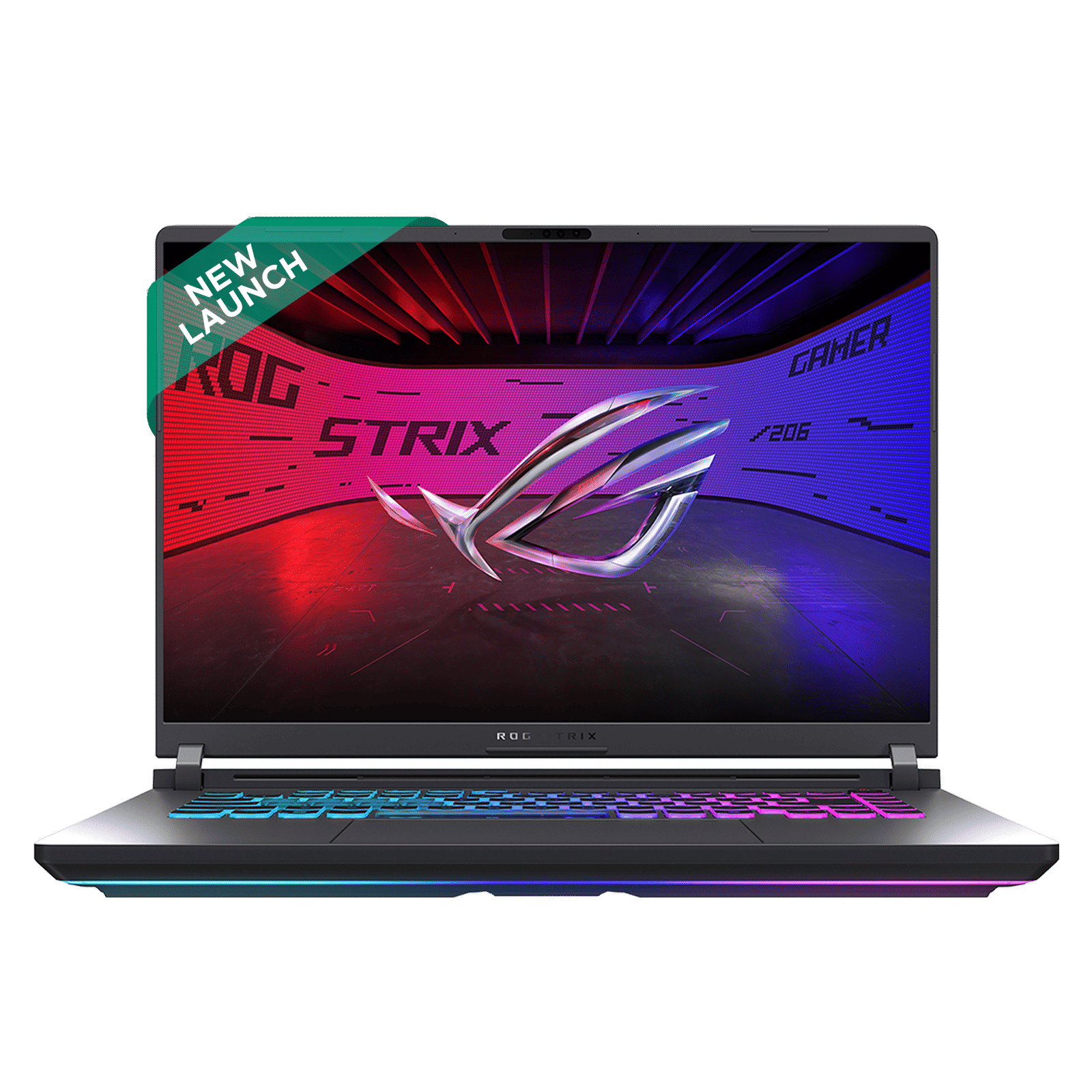
So, if you’re deep into AAA gaming, love to edit videos on Premiere Pro, or simply enjoy binge-watching Netflix content, and of course have the budget of around Rs 2.5 lakh, the Asus ROG Strix G16 is an easy recommendation.
For all the above reasons, we rate the ROG Strix G16 4.5/5. Stay tuned to Unboxed by Croma for the latest in tech, and more such in-depth reviews.

Unleash your inner geek with Croma Unboxed
Subscribe now to stay ahead with the latest articles and updates
You are almost there
Enter your details to subscribe

Happiness unboxed!
Thank you for subscribing to our blog.
Disclaimer: This post as well as the layout and design on this website are protected under Indian intellectual property laws, including the Copyright Act, 1957 and the Trade Marks Act, 1999 and is the property of Infiniti Retail Limited (Croma). Using, copying (in full or in part), adapting or altering this post or any other material from Croma’s website is expressly prohibited without prior written permission from Croma. For permission to use the content on the Croma’s website, please connect on contactunboxed@croma.com
- Related articles
- Popular articles
Pranav Sawant
Comments