







Laptops have lately become more than just work machines. They are now also our entertainment and creativity devices. But not all laptops let you push your limits; however, some do, like the new Asus VivoBook 14 Flip.
For starters, it’s not your regular laptop. It’s an all-in-one machine that flips to become a tablet and also a sketch pad when you use it with the bundled stylus. It packs a punch courtesy of Intel’s AI-ready chipset, and sports a thin and lightweight design. We took it for a spin, and here’s our in-depth Asus Vivobook 14 Flip review.
Asus Vivobook 14 Flip: Design and build
From the moment you take it out of the box, the Vivobook 14 Flip feels premium. The matte grey chassis looks refined, and the clean design ensures it will fit in both professional and casual settings.
At about 1.57kg, it is light enough to carry around in a backpack. The laptop boasts slim aesthetics, yet doesn’t feel flimsy. Rather, it feels sturdy in the hands and doesn’t wobble during typing.

The standout feature is the 360-degree hinge. It lets you rotate the display, so it can be a three-in-one machine, i.e., a laptop, a tablet, and a sketch pad with the stylus, Asus calls Pen 2.0.
Coming to the ports, you get a USB-A port on the right side and a bunch of useful ports on the left. This includes an HDMI port, 2x Type-C ports, a 3.5mm headphone jack, and a microSD card reader.
ALSO READ: Asus ROG Zephyrus G14 review
The keyboard is spacious and doesn’t feel cramped. While it doesn’t get a dedicated number pad, it does have number keys at the top and a dedicated Copilot key next to Alt. The trackpad is pretty large, making it easy to scroll or scrub through the timeline (when editing videos).
Asus Vivobook 14 Flip: Display
When you are buying an Asus, you are assured of the display quality, and that’s also the case here. The 14-inch Lumina OLED display is eye-pleasing and makes colours pop. Since it’s an OLED panel, you get deep blacks and the contrast is strong, which makes both Netflix binges and creative work enjoyable.
The screen has a 3K resolution, which is crisp for reading, presentations, and photo editing. Viewing angles are excellent, and the display is certified for reduced flicker, which helps reduce eye strain.

Touch response is accurate and fluid. If you pair it with the Asus Pen 2.0, note-taking and light sketching become quite convenient. For someone like me who loves scribbling notes during meetings, this is a convenient feature to have, as I no longer have to get a separate diary or a notepad.
Asus Vivobook 14 Flip: Performance
This is an AI-ready machine powered by Intel. It packs Intel’s Core Ultra 5 processor paired with 16GB of RAM and 512GB of SSD storage.
Day-to-day performance feels quick and responsive. Opening multiple tabs, editing documents, running video calls, and working with apps like Excel and PowerPoint do not cause slowdowns. For many users, this is all the power they will need. When moving into creative workloads, the laptop still holds up reasonably well.

Photo editing in Lightroom or Canva is smooth, and even light video editing projects are possible. The integrated Intel Arc graphics provide more muscle than older integrated solutions.
Casual gaming and GPU-accelerated tasks are also a no-brainer. For instance, we tested CSGO and Valorant, and both ran quite smoothly. Thermals are controlled quite well, but it does get a bit hot with extended usage.
Asus Vivobook 14 Flip: Battery, Software, and extras
Battery is another strong point of the VivoBook 14 Flip. The 70Whr cell comfortably lasts through a full workday. With moderate use involving document editing, browsing, and a couple of video calls, you can expect around 8-10 hours. That’s pretty good given it has an OLED screen.
Asus has offered 65W fast charging support, and you can top up about half the battery in under an hour. It also supports Type-C charging, which is convenient to have, as you can use your phone’s Type-C fast charging to top up the laptop.

As for software, the Vivobook 14 Flip runs Windows 11 Home out of the box and comes with cool AI features. It has Copilot that can be summoned with one click. Then there’s Microsoft Recall and CoCreator in Paint, which is very useful when the laptop is in tablet mode.
Unboxed Take: Who should buy the Asus Vivobook 14 Flip?
At Rs 83,990, the Asus VivoBook 14 Flip is a well-rounded convertible that gets a lot right. It has a fantastic OLED display for work and play, dependable performance for daily productivity, and a strong battery life that easily gets through long sessions.
ASUS Vivobook 14 Flip Intel Core Ultra 5 Touchscreen 2-in-1 Laptop (16GB, 512GB SSD, Windows 11 Home, 14 inch OLED Display, MS Office Home 2024 & MS 365 Basic, Matte Gray, 1.57 KG)
Buy now
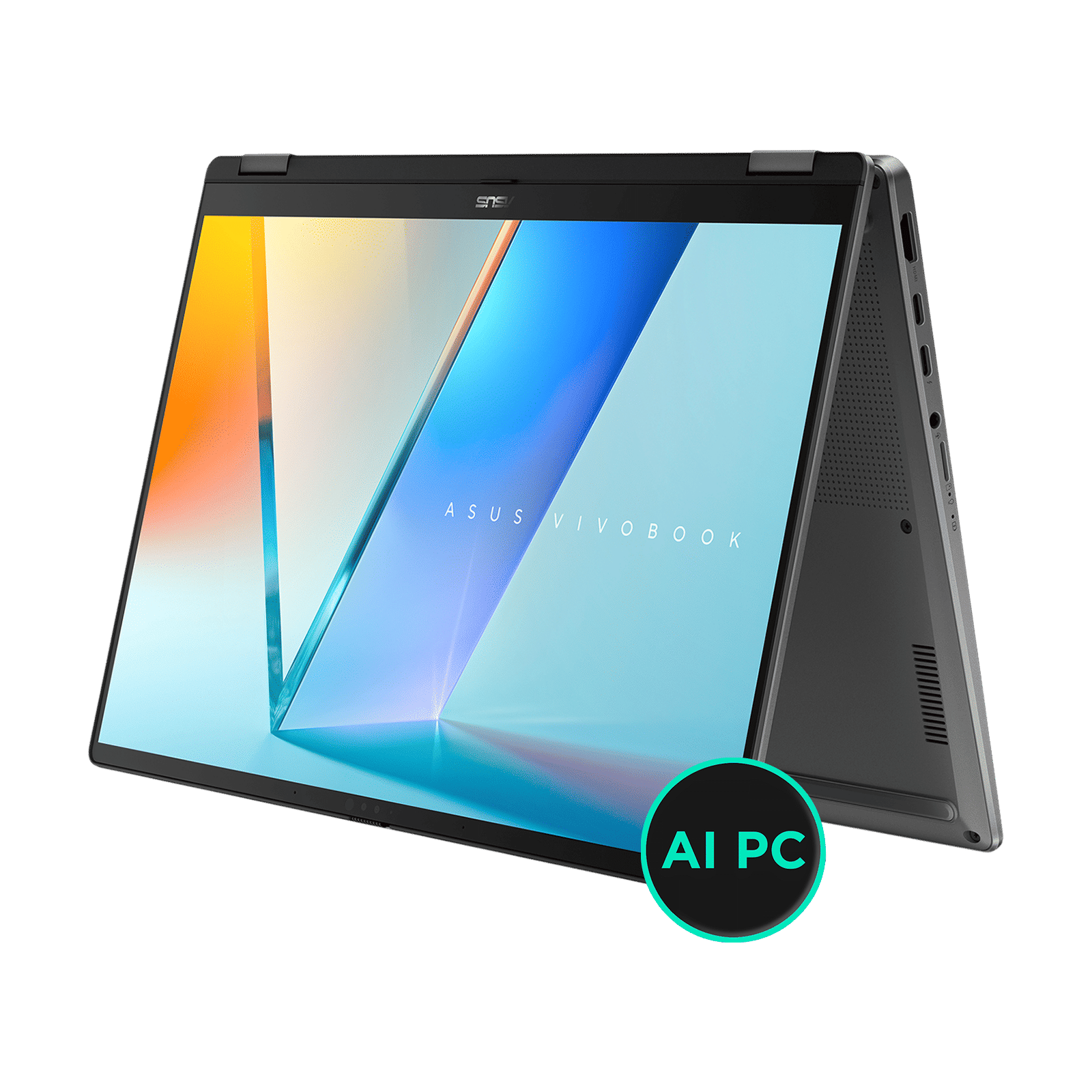
The flexible form factor makes it suitable for both students and professionals. And the in-box stylus is a plus here, which can be used for note-taking and sketching. For all the above reasons, we rate the Asus Vivobook 14 Flip 4/5.
Stay tuned to Unboxed by Croma for more such in-depth reviews, and everything tech.

Unleash your inner geek with Croma Unboxed
Subscribe now to stay ahead with the latest articles and updates
You are almost there
Enter your details to subscribe

Happiness unboxed!
Thank you for subscribing to our blog.
Disclaimer: This post as well as the layout and design on this website are protected under Indian intellectual property laws, including the Copyright Act, 1957 and the Trade Marks Act, 1999 and is the property of Infiniti Retail Limited (Croma). Using, copying (in full or in part), adapting or altering this post or any other material from Croma’s website is expressly prohibited without prior written permission from Croma. For permission to use the content on the Croma’s website, please connect on contactunboxed@croma.com
- Related articles
- Popular articles
Pranav Sawant
Comments