







If you call yourself a productivity nerd who’s always on the move, but don’t own a tablet, you’re missing out. That said, it can’t just be any tablet. Today, there are tablets that exist solely for consuming content, and then there are tablets designed for both work and play. The all-new Lenovo Yoga Tab Plus falls in the latter camp.
It’s similar to Lenovo’s Idea Tab Pro, which we reviewed recently. But the new tab is more mature, premium, and ready to up your productivity game. We’ve been using the new Lenovo tab along with the magnetic keyboard and the Tab Pen Pro, and honestly, productivity never felt this smooth. Read on for our in-depth Lenovo Yoga Tab Plus review.
Lenovo Yoga Tab Plus: Design and build
First impressions matter, and the Yoga Tab Plus delivers. Its silhouette is sleek and minimal, featuring slim borders around the display and a dual-tone back that adds visual interest. The metallic build and Tidal Teal shade stand out, with the latter extending even to the accessories for a unified look.

While the tablet is on the heavier side, weighing 640 grams, it’s still quite comfortable to hold. Due to its large form factor, it feels more like a laptop than a tablet when paired with the magnetic keyboard. The Tab Pen Pro completes the setup, giving you a workstation that’s ready for all your productivity needs.
Lenovo Yoga Tab Plus: Display
Tablets live or die by the screen, and this one makes a convincing case for living on your coffee table. The Yoga Tab Plus sports a 12.7-inch 3K display, which is sharp, crisp, and premium. The screen size hits the right spot when it comes to reading articles or going through spreadsheets on the move, as well as those late-night binge sessions.
Outdoors, we had no trouble with readability, as the brightness peaks at 900 nits. The screen also supports a faster 144Hz refresh rate, which is a win for gamers. We tried a couple of games over the weekend, and our experience was smooth as butter.

Lenovo Yoga Tab Plus: Performance
Powering the Yoga Tab Plus is the Snapdragon 8 Gen 3 chip paired with up to 16GB of RAM. Having a Snapdragon 8-series chip means it can juggle multiple apps without breaking a sweat. Switching between docs, email, and streaming services felt smooth, and even graphic-heavy apps and games like Lightroom Mobile, Asphalt 8, and GTA San Andreas ran smoothly.
Lenovo has clearly tuned this tablet to be both work- and play-ready. With the magnetic keyboard, you can breeze through typing tasks, while the Tab Pen Pro feels responsive enough for sketching, annotations, or quick scribbles during meetings. For most people, this tablet offers more than enough horsepower for both day-to-day work and light creative workflows.
Lenovo Yoga Tab Plus: Battery, software, extras
A productivity-focused tablet needs stamina, and the Yoga Tab Plus delivers. The 10,200mAh battery easily lasts about two days with heavy usage. This involves working on spreadsheets, editing images in Lightroom, watching back-to-back shows, and sneaking in some GTA San Andreas sessions.
Dial it back to casual use, and you are looking at nearly a full working week on a single charge. When it does run out of charge, the 45W fast charging gets you back up quickly, ensuring you’re never stuck near a plug point for long.
On the software side, the Yoga Tab Plus ships with a slightly older Android 14 layered with Lenovo’s light custom touches. Yes, it’s two generations behind, but the experience isn’t majorly affected.
The interface is clean, intuitive, and feature-rich, with multitasking tools like split-screen mode that actually make sense on a 12.7-inch panel. Notably, the tablet will get three major OS upgrades, which means you are all set till Android 17.

Stick with software, there’s also Lenovo PC mode, which lets you turn the tablet into a functional PC when you attach the magnetic keyboard. Use the Tab Pen Pro, and your work setup is ready.
One of the standout hardware features worth mentioning is the six-speaker system tuned with Dolby Atmos. It’s impressively loud and can easily fill a room, while still staying crisp and clear, making everything from movies to music sound immersive.
ALSO READ: Lenovo Idea Tab Pro review
The tablet also comes with a bunch of AI features, including Lenovo AI Now, AI Transcript, and AI Note. Each feature is meant to help you stay productive at all times. Our favourite is AI Now, as it uses AI to assist you with different tasks.
Unboxed Take: Who should buy the Lenovo Yoga Tab Plus?
For under Rs 50,000, the Lenovo Yoga Tab Plus strikes a great balance between entertainment and productivity. It’s big enough to replace your laptop for lighter workloads, yet portable enough to be your go-to device for travel, reading, and movies. The accessories elevate the experience, and the display alone makes it a joy to use.
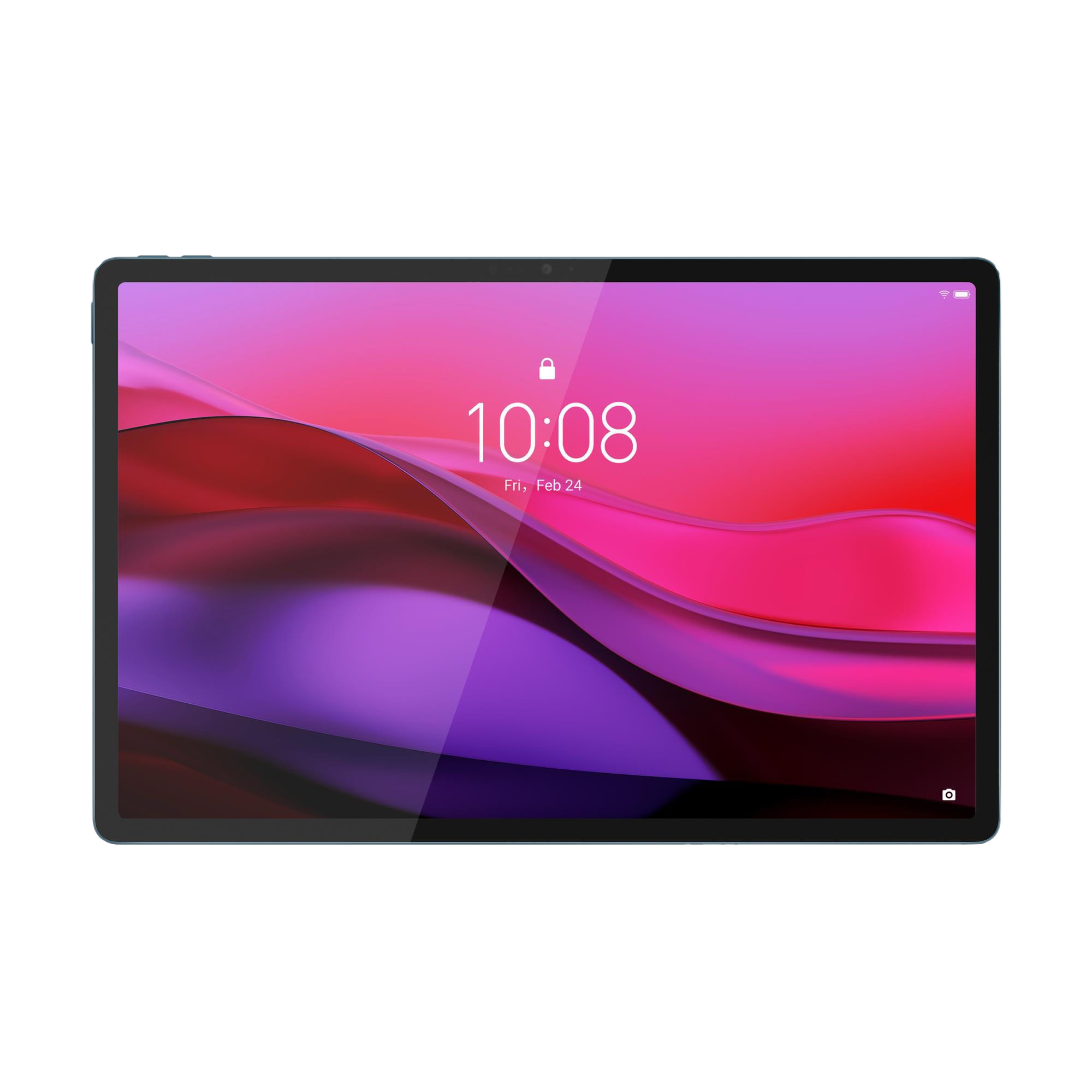
If you’ve been searching for a tablet that isn’t just another content consumption device but one that can handle both work and play, the Yoga Tab Plus is for you. For all these reasons, we rate the Lenovo Yoga Tab Plus 4.5/5.
For more such in-depth reviews and all things tech, stay tuned to Unboxed by Croma.

Unleash your inner geek with Croma Unboxed
Subscribe now to stay ahead with the latest articles and updates
You are almost there
Enter your details to subscribe

Happiness unboxed!
Thank you for subscribing to our blog.
Disclaimer: This post as well as the layout and design on this website are protected under Indian intellectual property laws, including the Copyright Act, 1957 and the Trade Marks Act, 1999 and is the property of Infiniti Retail Limited (Croma). Using, copying (in full or in part), adapting or altering this post or any other material from Croma’s website is expressly prohibited without prior written permission from Croma. For permission to use the content on the Croma’s website, please connect on contactunboxed@croma.com
- Related articles
- Popular articles
Pranav Sawant
Comments