







Given the variety of controllers on hand, it’s surprisingly hard to pick the perfect controller for PC. There’s also a lot of nuance to the choice owing to how Microsoft (and Windows) choose to handle controller drivers. Allow us to break down these details for you.
Xbox or Xinput controllers
The official Microsoft Xbox Controllers will work directly with your PC. They use a protocol called ‘Xinput’ to connect and will work out-of-the-box with no setup or hassle in any game that supports controllers on PC.
ALSO READ: 10 gaming headphones under Rs 15,000 to kickstart your professional gaming career
By default the official controllers connect via USB or wirelessly via Bluetooth. It’s also possible to buy a ‘Microsoft Xbox Wireless Adapter for Windows’, which you’ll need for a more stable and longer range wireless connection with lower latency.
The official controllers are often expensive, however, so if you want to game hassle-free and on the cheap, you should consider getting officially licensed or Xinput compatible controllers from third-party manufacturers. If controllers support Xinput or are licensed in some fashion, you will see a mention on the manufacturer’s website.
Some great options include:
– 8BitDo Ultimate 2C wired controller: This one comes with hall-effect joysticks which will last longer and have no drift compared to the official Xbox controllers. We think this is the best gaming controller for PC.
– PowerA controller: These are licensed copies of the Xbox controller and are great if you can get them cheap. They function well but their rumble motors aren’t very precise compared to the 8BitDo options.
The likes of Logitech, Razer, Corsair, and several other companies also make Xinput controllers.
Sony PlayStation 5 DualSense controller
Sony’s DualSense controllers are arguably the best in the business owing to superb haptics and some nifty features like the little trackpad that’s built into the controller. These controllers are quite expensive, but they also work out-of-the-box with Sony games that have been ported to PC.
SONY DualSense Wireless Gaming Controller for PlayStation 5 (Motion Sensor, CFI-ZCT1W07X, Metallic Red)
Buy now
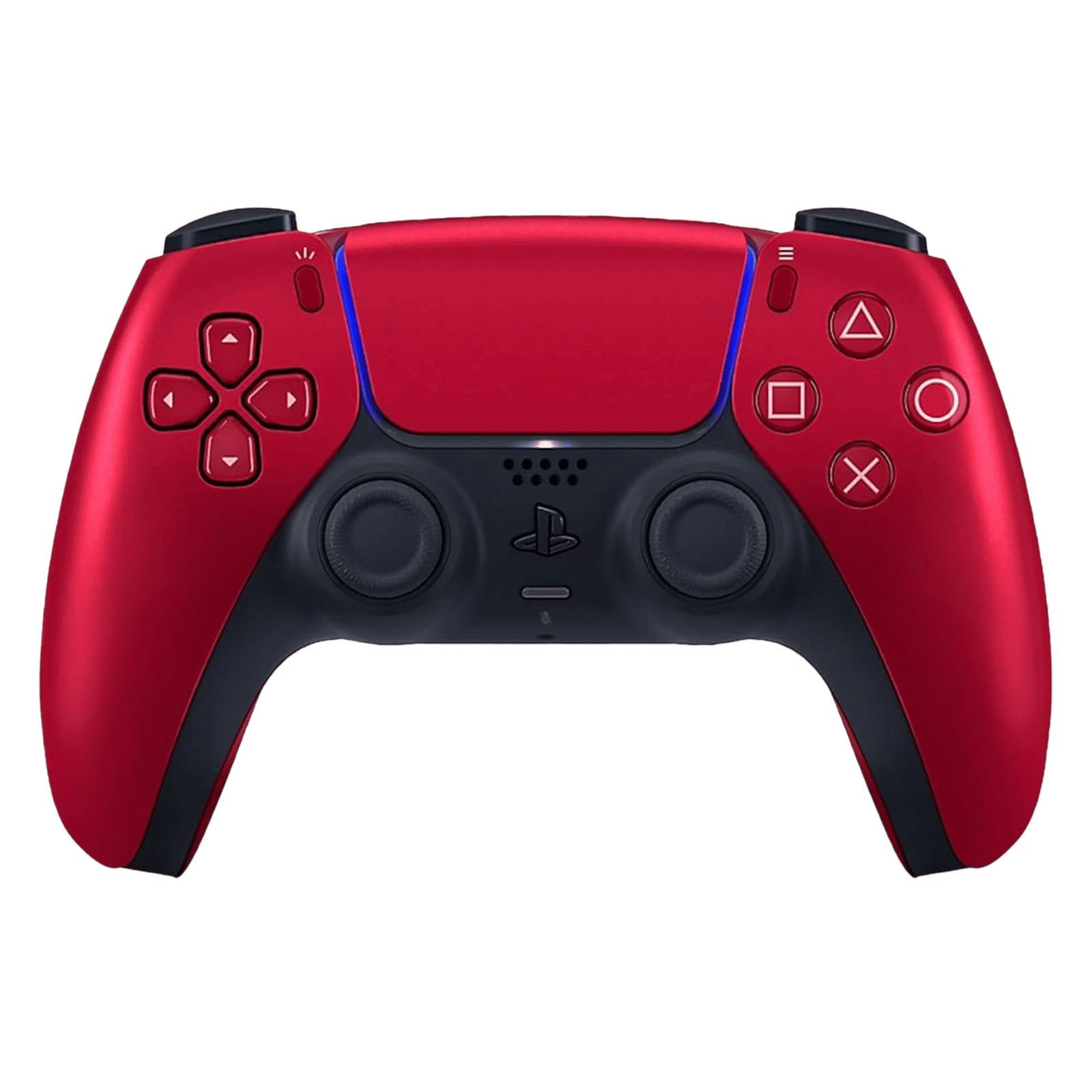
The catch is that these controllers may not work with games published by other developers or released on platforms like Epic or the Xbox Store. In such a case, you will need a program that can convert the DualSense input to Xinput (called an Xinput wrapper). Steam does this by default, but you can also download an app like DualSenseX DS5 Windows to achieve the same result.
Nintendo Switch Pro controller
Another great option, this one generally works out of the box with most games but like the Sony controller will require an Xinput wrapper or Steam to function.
The one drawback of using the Nintendo Switch Pro on PC is that it has buttons instead of analogue triggers, which can be a problem if you play games that require analogue triggers, like racing games.
Both the Nintendo and Sony controllers are great, but we’d recommend avoiding either unless you already have a Nintendo or Sony console, or a big enough library of Sony games on PC.
For PC gaming, our recommendation would be to get a good third-party controller like the 8BitDo Ultimate 2C as it tends to be a lot cheaper and better built than the official Xbox controllers.

Unleash your inner geek with Croma Unboxed
Subscribe now to stay ahead with the latest articles and updates
You are almost there
Enter your details to subscribe

Happiness unboxed!
Thank you for subscribing to our blog.
Disclaimer: This post as well as the layout and design on this website are protected under Indian intellectual property laws, including the Copyright Act, 1957 and the Trade Marks Act, 1999 and is the property of Infiniti Retail Limited (Croma). Using, copying (in full or in part), adapting or altering this post or any other material from Croma’s website is expressly prohibited without prior written permission from Croma. For permission to use the content on the Croma’s website, please connect on contactunboxed@croma.com
- Related articles
- Popular articles
Anirudh Regidi
Comments